
Our presentation folders are printed on a flat sheet and then converted to shape. Printing single-sided (4/0) includes the front, back and outside pockets once the folder is converted and folded. Double sided printing (4/4) includes printing on the inside panels of the folders as well.
This product has strict production specifications. Please reference our template files to ensure your artwork is properly set up for production. Templates for all available sizes and pocket options can be found in our template section and are clearly labeled to show each panel’s location and orientation.
Below is an example of a 9” x 12” template. Please note that pockets appear on the opposite sides of the template compared to how they appear once the folder is converted. The right pocket is shown on the bottom left of the template, and the left pocket is shown on the bottom right. Keep this in mind when ordering a single-pocket folder.
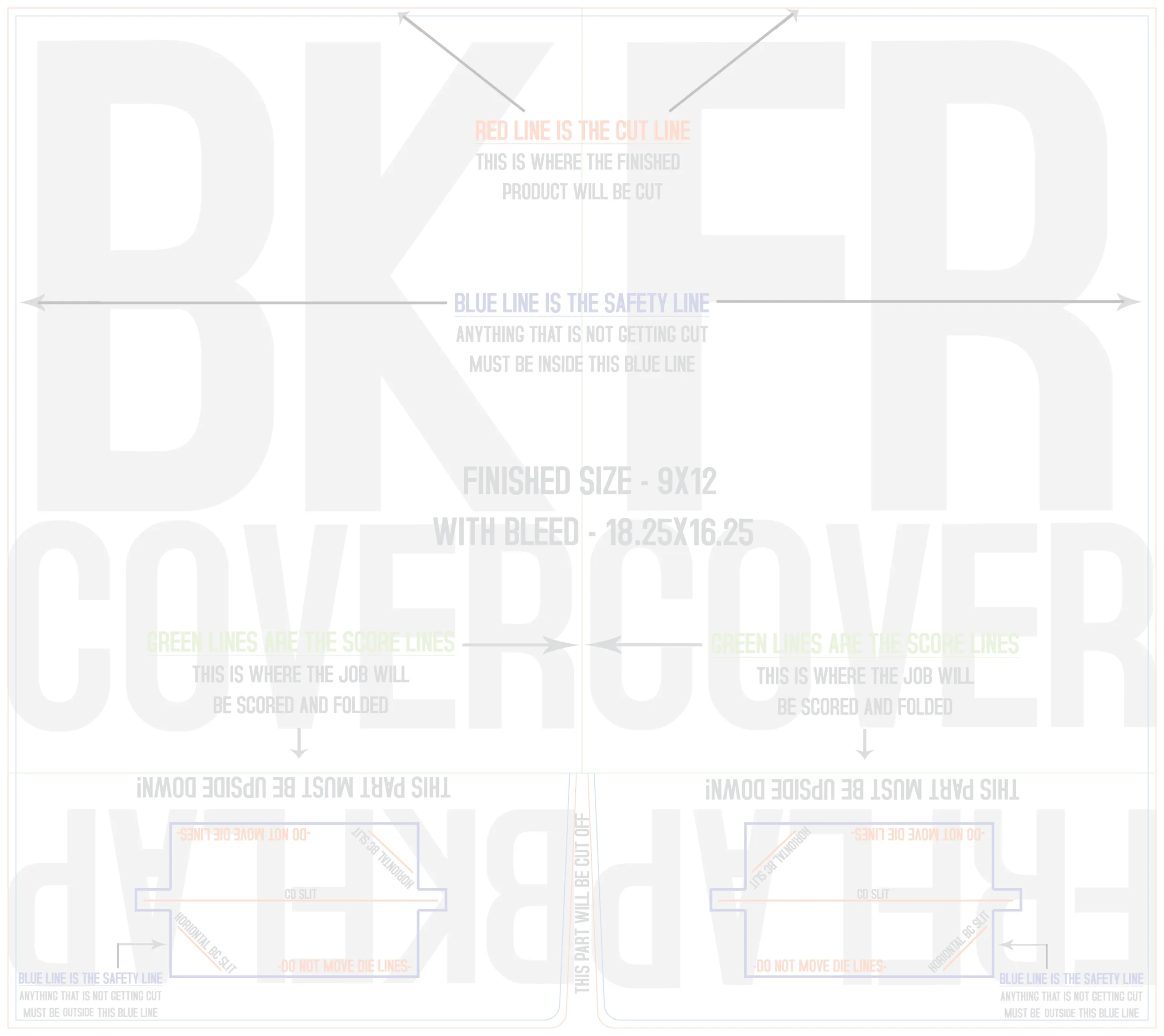
Since the flaps are inverted on the templates, artwork intended for a right-side pocket will appear on the bottom left of the template. Using the correct template for your selected options will ensure proper setup. Below is an example of a single-sided template with a left-side pocket.
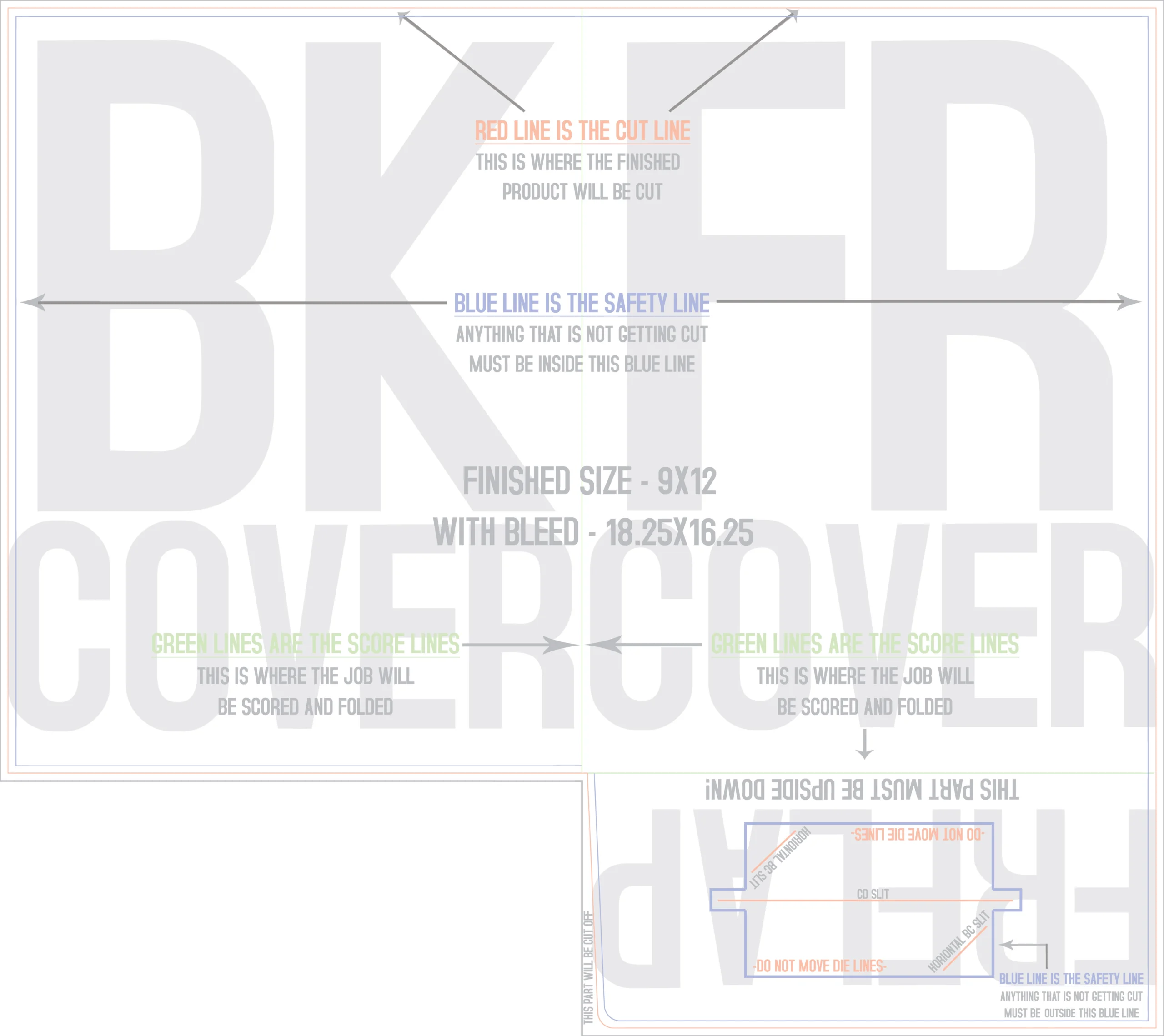
It is also important to extend the bleed on the non-pocket side (if applicable) to the bleed line on the template, or 1/8” beyond the fold line, to allow for any movement during the bindery process.
We hope these tips are helpful.
Please note that every file submitted to Print Dallas is reviewed by one of our knowledgeable prepress team members. If we identify any issues with your files, we will contact you before production begins. If you have any questions about file setup, please don’t hesitate to reach out we’re here to help.
Download Presentation Folder Templates below: